
Internal dashboards & reporting
Live views into operational data, KPI tracking and management reporting, connected to internal systems via the API directory.
When a pre-built app isn't quite right. VibeMagic gives non-technical teams a structured, managed environment to build new apps using AI coding tools, without needing professional development experience. The Git workflows, cloud hosting and professional processes are all handled for you, so you can focus on what you're building rather than how to build it.
VibeMagic structures the full development lifecycle (project setup, integration, building, testing and deployment) so that non-technical teams can use AI coding tools like Claude Code and Cursor effectively, without the surrounding complexity. The professional processes are there; VibeMagic simply handles them for you.
VibeMagic creates your project with all the professional scaffolding in place: a Git repository and environment configuration that experienced developers would spend hours setting up manually. You name the project; VibeMagic handles the rest.
Throughout the build, VibeMagic also monitors your AI tool's configuration files, catching common mistakes that non-technical users would be unlikely to notice, and flagging them before they cause problems downstream.
Optionally, start with the Build Planner. Rather than diving straight into prompts, the Planner's interactive visual interface walks you through a series of questions, builds a plan incrementally, accepts your changes, highlights inconsistencies, and replans until the specification is solid, giving your AI tool a much clearer brief to work from.
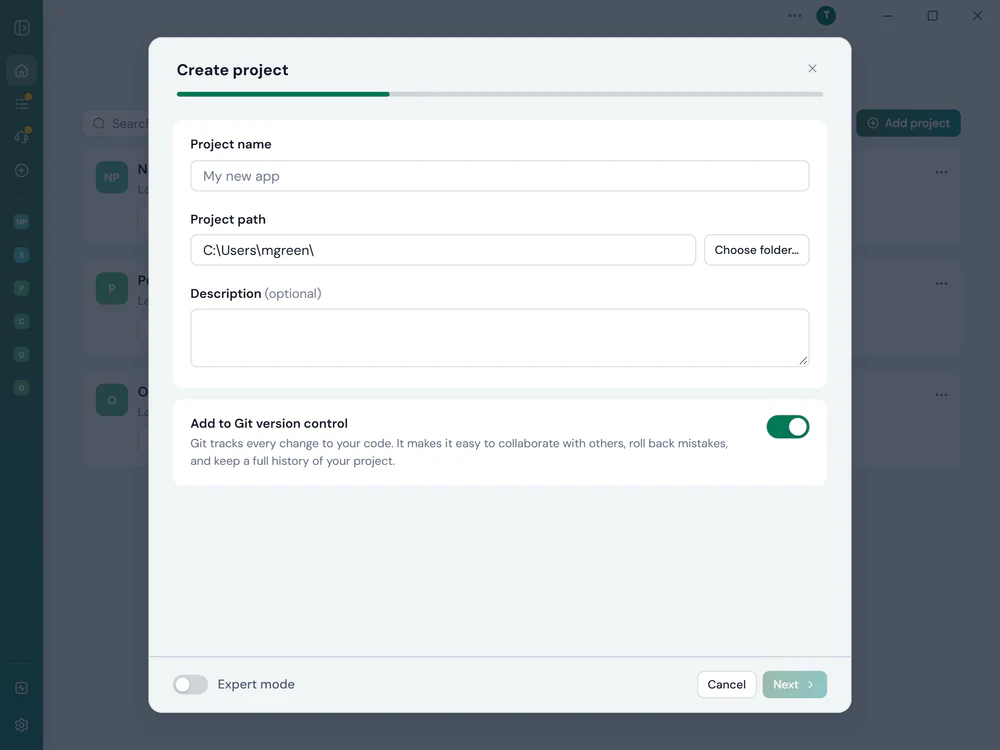
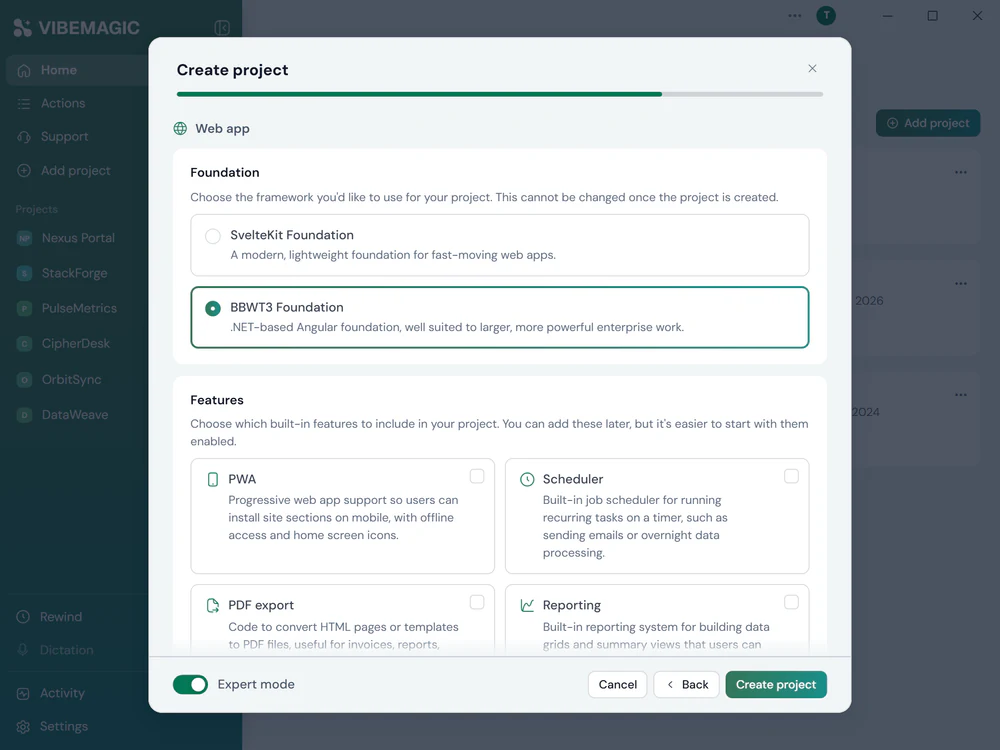
We offer foundations for every type of project. If you're creating a web application, choose between our lightweight SvelteKit Foundation or our .NET-based BBWT3 Angular Foundation for enterprise work. Each is pre-tested and solid: an AI building on proven ground makes significantly fewer mistakes than one starting from scratch.
Separately, choose your preferred AI coding tool: Claude Code, Cursor, Codex or others. Your choice of foundation and your choice of AI tool are independent. Any supported tool works equally well with any foundation, so you're not locked into a particular combination.
VibeMagic also configures your cloud environments at this point (development, staging and production), so the hosting infrastructure is in place before you write a line of code.
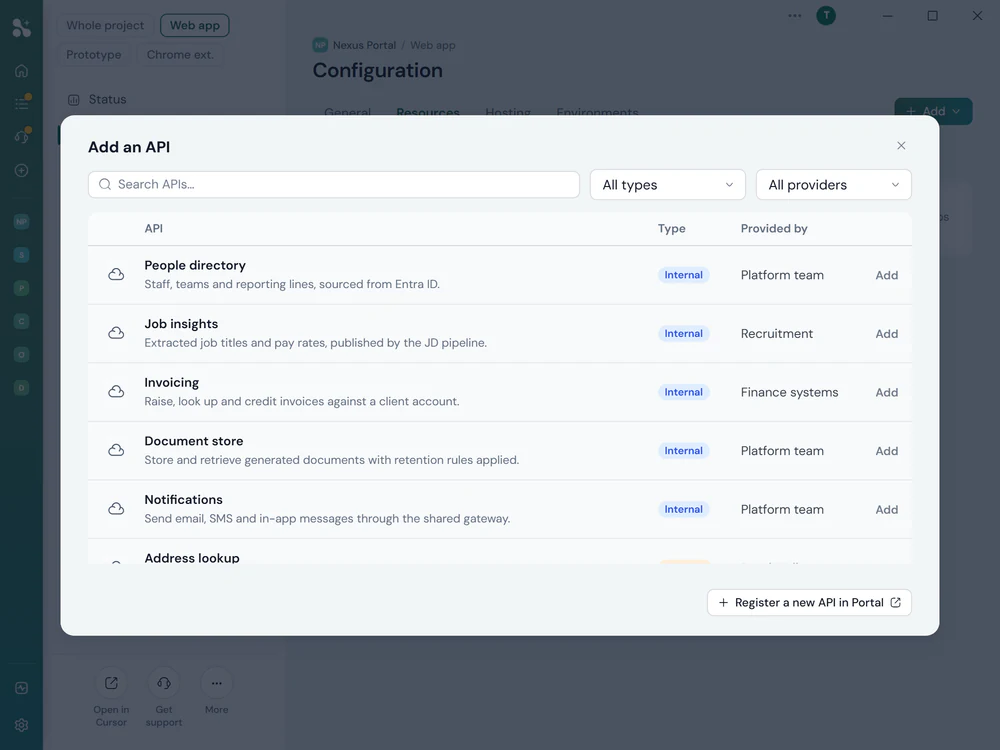
VibeMagic includes a central API directory, set up once by an administrator or consultant. They describe internal system APIs (or simply import an existing OpenAPI or Swagger document), then test it and add any additional documentation within the directory itself. They can also add recommended public APIs.
For non-technical users, that setup work is invisible. When they need data from a system, they add it as a reference to their project and the AI handles the integration automatically. The same applies to internal file stores: administrators can document shared folders (the Projects or Bid folder, Marketing libraries) and users can pull from those in exactly the same way, all fully permission controlled using existing Microsoft 365 security.
Set up once, used everywhere. Every API and file store an admin registers becomes available to all projects: no repeated configuration, no credential handling, no technical knowledge required on the user's part.
Pull the scaffolded project into your AI coding tool and start building. VibeMagic's specification files give the AI full context (your data model, integration points, framework conventions and target environment) from the first session, without any additional setup.
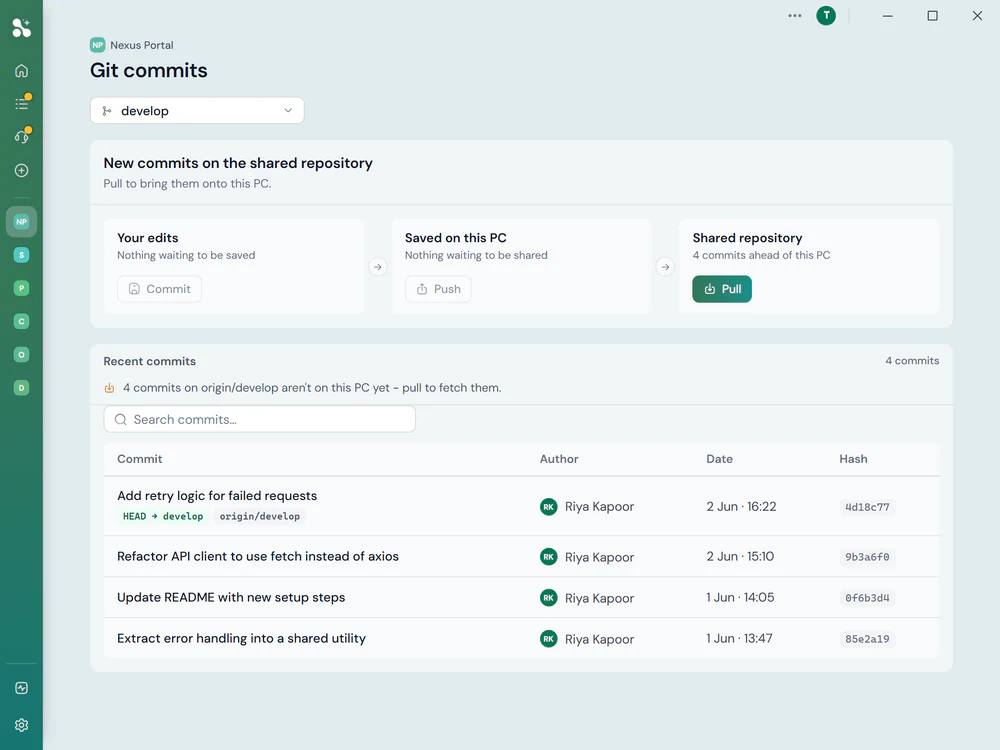
This context-first approach makes prompts more effective and reduces the back-and-forth needed to get results. Behind the scenes, VibeMagic manages the Git workflow for you. Commits, branches and change history are tracked automatically, so the full audit trail is there without you having to think about it.
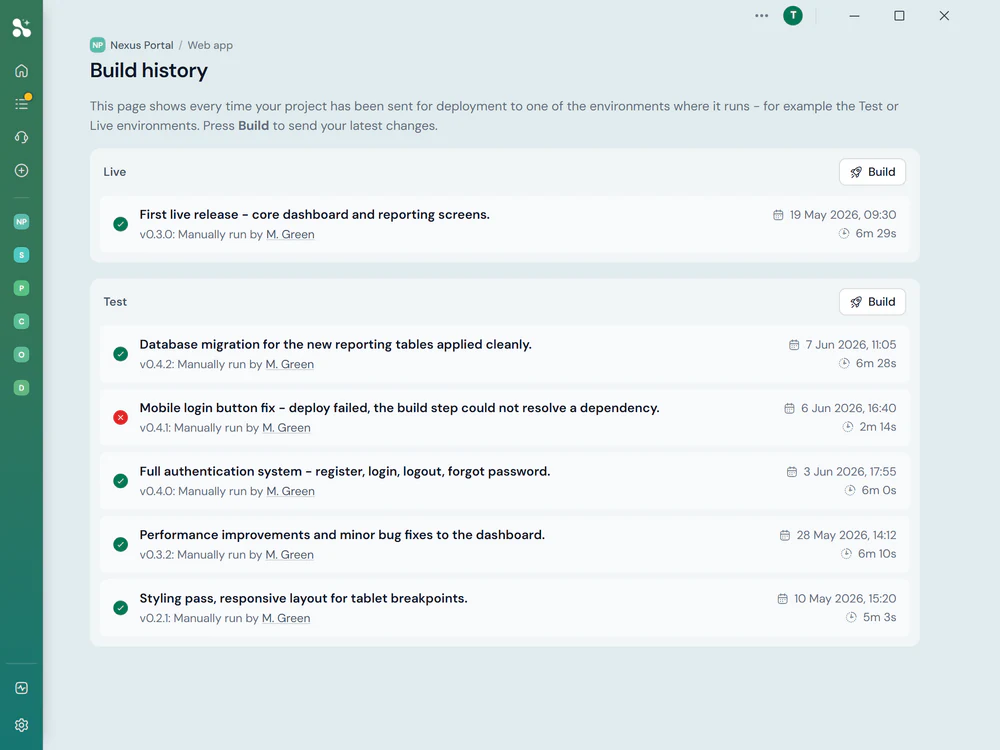
Prompting is great, until something goes wrong. AI-assisted coding is still a technical process, and users can get stuck in ways that aren't easy to diagnose alone. VibeMagic includes a built-in support platform so nobody has to figure it out by themselves.
Log a ticket directly within VibeMagic, choosing exactly what to share with the support team: your code, your prompt history, your project configuration. If the ticket doesn't resolve it, book a live 1:1 session with an expert, who can request permission to remote control your desktop and fix the problem alongside you.
Most users won't need support often. But knowing that real expertise is available (not a forum or chatbot, but a person who can take over if needed) makes the difference between pushing forward with confidence and giving up.
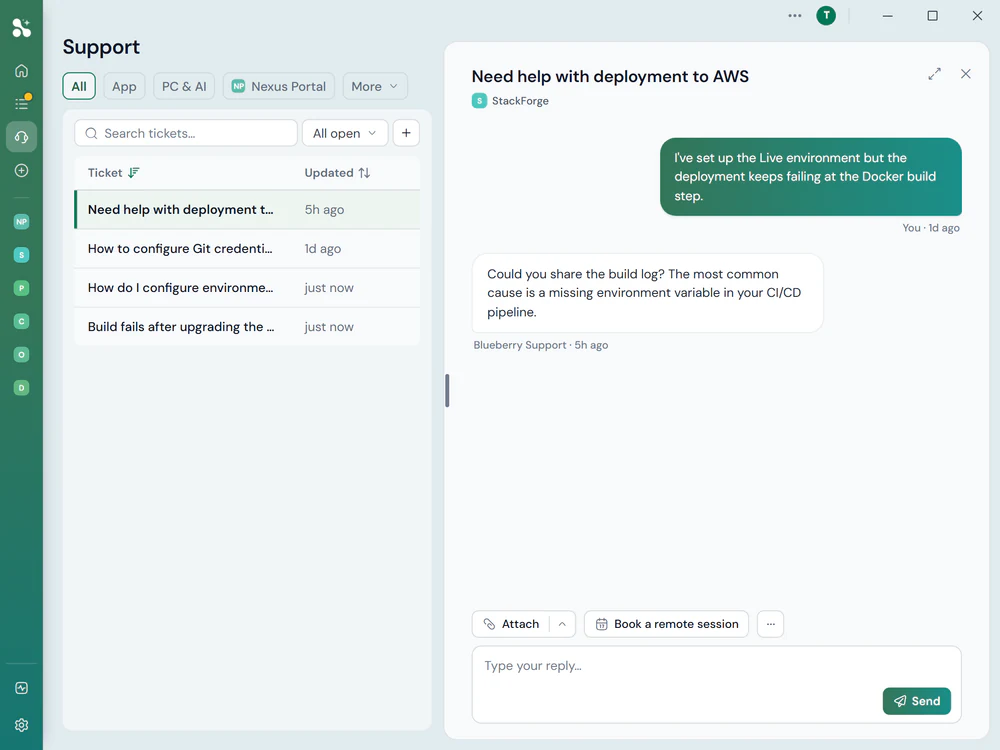
Push your changes and VibeMagic runs an AI-powered code review alongside automated UI tests. Security vulnerabilities, quality problems and functional bugs are flagged before they reach production, not discovered by users after release.
Code review covers security, performance and adherence to your organisation's coding standards. Automated tests exercise the UI against real data, checking that the application behaves correctly across the scenarios that matter.
AI-assisted review, not just linting. The review understands what the code is trying to do and flags issues that a syntax checker would miss: logic errors, edge cases, insecure data handling.
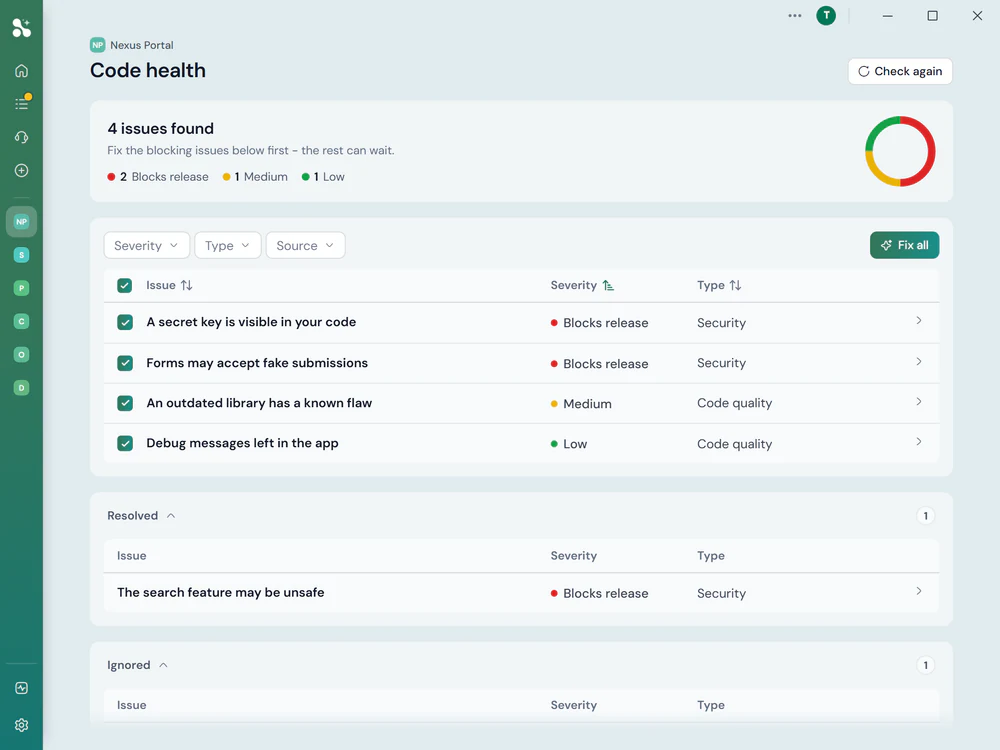
Deploy to your configured environments with a single action. VibeMagic handles the build process, server configuration and release management, and makes the application available to the right users through the organisation's portal.
Because the cloud hosting, environment variables and deployment pipelines were all configured at the outset, there's no last-minute infrastructure work when you're ready to ship. Dev, staging and production have been consistent from day one, so what works in development works in production.
Deployments are repeatable and auditable. Every release is tracked, rollback is straightforward if something unexpected surfaces, and there is no requirement for manual server access or any knowledge of the underlying cloud infrastructure.
Build Big suits any project where a pre-built app needs significant customisation, or where the requirements are specific enough that building from scratch is the right approach.
Live views into operational data, KPI tracking and management reporting, connected to internal systems via the API directory.
Multi-step automations connecting internal systems, eliminating manual handoffs and reducing the time staff spend on repetitive coordination tasks.
Branded, secure interfaces giving clients or partners access to their data, documents or project status, deployed and managed through VibeMagic.
Structured pipelines to collect, transform and act on business data, with AI-enhanced processing steps where the data is too variable for simple rules.
Applications where users interact with AI in a structured, governed context, not a general chat interface, but purpose-built tools with defined inputs and outputs.
API bridges, data synchronisation tools and integration middleware, connecting systems that don't natively speak to each other, with AI handling format and logic translation.
Building larger applications with AI tools is straightforward in principle and complicated in practice. VibeMagic handles the professional processes that would otherwise require technical expertise you may not have in-house.
VibeMagic's SvelteKit and BBWT3 Foundations are proven and pre-tested. When an AI builds on a solid foundation it starts from a better place, significantly reducing the risk of errors that stem from building on shaky ground.
Administrators register internal APIs (by description or by importing OpenAPI/Swagger docs), test them, and document shared file stores. They can also add recommended public APIs. Users add any of these to projects with a single click; the AI handles the rest.
AI-powered code review and automated UI testing run on every push. Issues are caught in development, not discovered in production. Review covers security, logic and quality, not just syntax.
Cloud hosting is configured and managed for you. Deployments are one-click, repeatable and auditable, with rollback available if needed. No server knowledge or manual infrastructure access required at any stage.
Talk to the team about your project. We'll help you work out whether Build Big is the right approach, and what a realistic timeline looks like.